Portable Bluetooth Receipt Printing for Android Retail and Delivery
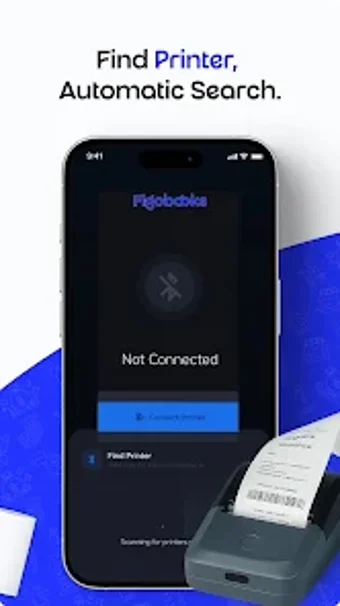
Experience mobile receipt printing with FigoBooks Mobile Printer by Slashit Payments Limited, a compact, efficient tool for on-the-go receipts and transaction records. The app sends print jobs to Bluetooth thermal printers and supports background operation so jobs finish when switching apps. It discovers and pairs printers automatically and offers one-tap access to saved devices. Small retailers, delivery services, and mobile vendors get fast physical receipts and simplified mPOS printing workflows.
What does it do for mobile point-of-sale printing?
The app acts as a focused mobile printer utility, sending receipts and transaction records to Bluetooth thermal printers. Key capabilities include automatic device discovery, saved-printer reconnection, and one-tap access for frequent devices. Deep link support lets third-party business apps hand off print jobs, while an integrated document scanning feature can capture proof or receipts before printing.
Does it affect device performance during print jobs?
The tool is built to be lightweight and to run background printing via a foreground service, which preserves print jobs when switching away from the app. The foreground service keeps the print queue active and reduces failed jobs during busy retail hours. The developer designed the app for continuous operation in active POS scenarios so staff do not need to babysit each job.
Is it safe to use with Bluetooth printers and background services?
The app requires Bluetooth and Location permissions because Android mandates location access for device scanning on most devices; users must grant those permissions via system prompts for discovery to work. Pairing and reconnection use standard Bluetooth procedures, and the foreground service keeps printing visible to the system. These behaviours align with Android's connectivity model but do require explicit user consent to function correctly.
Do I need technical knowledge to operate the tool?
The interface targets fast-paced business staff, with one-tap favorites and a simple flow for sending receipts. Casual operators can handle daily printing, while integrating deep links into other business apps may need a developer or technical setup. Routine use fits non-technical staff; embedding the app as a universal print handler requires coordination with other apps or systems.
A practical choice with an ecosystem caveat
The app is a practical option for small merchants who need dependable mobile receipt printing tied into broader sales workflows. Its strength lies in fitting daily mPOS routines and integrating with complementary business tools. One clear drawback is that optimal operation assumes use alongside the developer's FigoBooks ecosystem, so standalone deployment may require extra configuration or compatible partner apps.